This year we are happy to announce a new and improved mobile event app and event website. These tools offer you multiplatform mobile solutions for the SOT Annual Meeting and ToxExpo, provided free of charge to attendees and exhibitors. The mobile event app and event website are available via the SOT website and app marketplaces. These mobile tools enable you, the attendee, to engage with organizers, exhibitors, and each other, and to manage your time and maximize your experience while at the Annual Meeting.
The mobile event app and website will allow you to: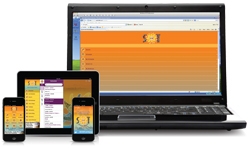
- Connect with fellow attendees
- Enhanced for 2014—Build your own schedule and synchronize from the mobile event website to your iPad, tablet, and smartphone simply by logging in
- Add individual presentations or entire sessions to your schedule
- Add a specific session abstract to your schedule
- Add your own items to your schedule
- Enhanced for 2014—View presentation details, abstracts, and ePosters
(access complete ePoster details | View ePosters from the event website)
- Enhanced for 2014—Search for items based on session title, abstract title or number, abstract keywords, thematic track, author name or affiliation, and speaker name or affiliation
- View and interact with speakers
- Enhanced for 2014—Build your own Briefcase and synchronize from mobile event website to your iPad, tablet, and smartphone by logging in
- View the Phoenix Convention Center map and Phoenix city maps
- Request meetings with attendees and exhibitors
- Navigate the real-time ToxExpo floor plan and search for products, specials, and exhibitors
- Contact exhibitors
- Integrate with ToXchange, Twitter, and Facebook
- Scan QR codes quickly and easily within the app
- Share your photos
Access the frequently asked questions and all versions of the app and mobile website or search for the app "SOT2014" in your app store (iPad, iPhone, Android). The 90 second App Overview video will display the first time you download the app to provide you with some helpful tips on how to use the app.
Access information from any mobile device, including popular smartphones, tablets, and iPads—synchronize your personal schedule and messaging by logging in.
The mobile website and mobile app will prompt for a username and password before allowing users to access certain features of the app, which include: “My Schedule,” “My Briefcase,” “Attendees,” “Messaging,” and “Surveys.” Only Annual Meeting registrants will have access to these restricted features. SOT Member registrants use their SOT membership login credentials for full access. SOT nonmember registrants use their email and password, which was used to register for the meeting to gain full access. At any time, use the password reminder on the SOT website login to have your password sent to your email address (the email address used to register for the meeting). The app will display your name at the top of the app when you are logged in. Contact SOT Headquarters if you need assistance with your password.
SOT 2014 Annual Meeting attendees, be sure to check for messages on the SOT Mobile Event App. There may be messages waiting for you! Use and enjoy this networking feature while at the meeting.
Learn How to Use the App's Robust Features
You're Invited to the App Overview webinar. A recording of the webinar will be accessible from the website after the event.
Friday, March 14, 2014 12:00 Noon ET
SOT Mobile Event App Overview
Register Online
Visit the @SOT Center—Internet Access and App Training or the Pavilion in ToxExpo at booth 1623 during the Annual Meeting.
SOT provides computers to access the mobile website version of the app or the Internet during the meeting. These computers are available to attendees in the @SOT Center, located outside of ToxExpo. One-on-one technology training and support is available during the meeting—stop in early to get the most out of the 2014 app and/or your login information. SOT staff technology experts are available to assist you with any of the SOT web-based resources.